Workers are injured every year during maintenance because machines power on unexpectedly. A missing lock. A bypassed tag. An overlooked energy source. These aren’t just failures of procedure—they’re failures of training. And at the heart of every strong lockout tagout (LOTO) program is a well-structured safety training PowerPoint that doesn’t just check a compliance box, but changes behavior.
A lockout tagout safety training PPT isn’t a generic slideshow. It’s a critical tool for translating OSHA 1910.147 requirements into real-world action. Done poorly, it’s forgotten in a folder. Done right, it prevents amputations, electrocutions, and fatalities.
Let’s break down how to build a LOTO training PPT that actually works.
Why Most Lockout Tagout PPTs Fail
Too many LOTO training presentations follow the same script: static bullet points, outdated clipart, and a one-size-fits-all approach. They assume awareness equals compliance. But knowing what lockout tagout is doesn’t mean workers will apply it when oil is dripping on their coveralls and production pressure is mounting.
Common flaws include:
- No role-specific content: Maintenance staff, machine operators, and contractors face different risks. A single PPT for all roles ignores those nuances.
- Missing real equipment: Slides showing generic padlocks don’t help a technician identify the correct isolation point on a hydraulic press.
- No demonstration component: Workers need to see the sequence—not just hear it.
- Overlooking human factors: Rushing, complacency, and peer pressure aren’t addressed as root causes of violations.
A high-impact LOTO presentation anticipates these gaps. It’s visual, scenario-driven, and tied directly to the equipment and workflows in your facility.
Core Elements of an Effective LOTO Training PPT
Your PowerPoint isn’t just informational—it’s behavioral. Every slide should guide the viewer toward safer decisions. Here’s what must be included:
#### 1. Start with the Consequences
Begin with a real incident. Not a stock photo. A real case—such as a worker clearing a jammed conveyor who didn’t isolate hydraulic pressure. Result: leg crush injury. This isn’t fearmongering. It’s context.
“This happened at a plant like yours. It wasn’t sabotage. It was a skipped step.”
Use timelines, photos (appropriately redacted), and fault trees to show how multiple small errors led to one serious outcome. This primes attention.
#### 2. Define Energy Types with Visuals
Don’t just list energy sources—show them.
| Energy Type | Real-World Example | Isolation Method |
|---|---|---|
| Electrical | Motor control panel | Circuit breaker lockout |
| Hydraulic | Press ram | Valve isolation + bleed |
| Pneumatic | Air cylinder | Shut-off valve + bleed |
| Mechanical | Spring tension | Physical block or release |
| Chemical | Pressurized tank | Valve lock + drain |
Use annotated diagrams of actual machinery in your facility. If your plant uses CNC machines, show where the energy-isolating devices are located on that model.
#### 3. Break Down the 6-Step LOTO Procedure
Don’t say “follow the steps.” Illustrate them with photos or short video clips embedded in the PPT.
- Preparation – Identify all energy sources (use equipment-specific checklists).
- Notification – Tell affected employees the shutdown is happening.
- Shutdown – Stop the machine using normal controls.
- Isolation – Turn off and lock all energy-isolating devices.
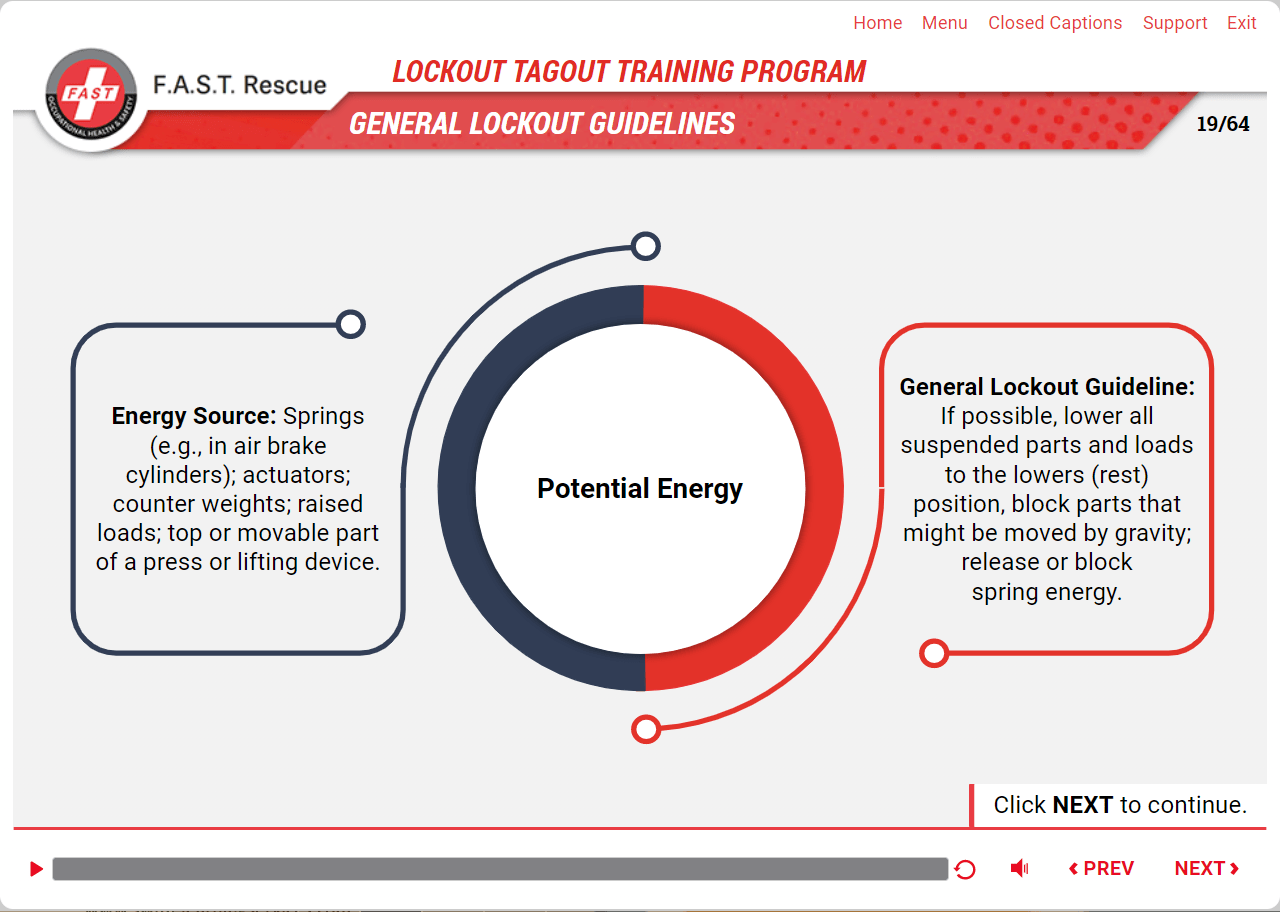
- Dissipation – Bleed, block, or drain stored energy.
- Verification – Attempt to restart (safely) to confirm zero energy.
Include common mistakes at each step:
- Skipping dissipation because “the pressure gauge reads zero.”
- Using group locks without a designated lead worker.
- Tag-only use on devices that can be locked.
Use side-by-side visuals: correct vs. incorrect application.
#### 4. Cover Roles and Responsibilities
Clarify who does what:
- Authorized employees – Perform lockout and service work.
- Affected employees – Operate or use equipment but don’t service it.
- Contractors – Must follow site-specific LOTO and coordinate with host employers.
Highlight coordination pitfalls. Example: A contractor removes a lock because “the job looked done,” not realizing another technician was still inside the machine.
Use an org-style flowchart showing reporting lines and verification steps during group lockout.
#### 5. Demonstrate Lock and Tag Application
Show exactly how to apply devices:
- Locks must be personal, keyed differently for each worker.
- Tags must include name, date, reason, and contact info.
- Hasps allow multiple locks on a single point.
Include close-up photos: a padlock on a breaker, a tag on a valve, a lockout hasp with three locks applied.
Warn against common violations:
- Using someone else’s lock.
- Leaving keys in locks.
- Bypassing interlocks to “test quickly.”
#### 6. Reinforce Retraining Triggers
OSHA requires annual retraining, but also retraining when:
- Job roles change.
- Equipment is modified.
- Audits reveal noncompliance.
- An incident occurs.
Build a slide that tracks training dates by role and department. Show how the LOTO PPT is updated quarterly with new near-misses or equipment changes.
How to Customize Your LOTO PPT for Maximum Impact
A template from the internet won’t cut it. Your PPT must reflect your facility.
#### Step 1: Map Equipment-Specific Procedures
Don’t train generically. Train to the machine.
For each high-risk asset, include: - A photo of the machine. - A labeled diagram of isolation points. - The correct lockout devices (model numbers if possible). - A 30-second video clip of the full LOTO sequence.
Example: On a packaging line with multiple motors, show how to isolate each one and verify de-energization individually.
#### Step 2: Embed Interactive Elements
Use clickable hotspots in your PPT to simulate decisions:
“You’re about to service the mixer. Which energy sources must be isolated?” Click on the correct valves and breakers.
If the wrong choice is selected, trigger a pop-up: “Hydraulic pressure remains—risk of sudden movement.”
This builds mental muscle without risk.
#### Step 3: Include Site-Specific Hazards
Every facility has quirks. Address them:
- Cold environments causing brittle lock mechanisms.
- Shared panels where multiple departments isolate power.
- Equipment with hidden capacitors that store energy.
One plant added a slide showing a capacitor discharge tool—specifically purchased for their injection molding machines. It became a talking point in every session.
Common Training Delivery Mistakes (And How to Avoid Them)
Even a great PPT fails if delivered poorly.

| Mistake | Fix |
|---|---|
| Training only during onboarding | Schedule quarterly refreshers focused on high-risk tasks |
| No hands-on practice | Use mock panels or decommissioned equipment for live drills |
| No language accessibility | Translate key slides and provide bilingual trainers if needed |
| One-way lecture | Use quizzes, group discussions, and scenario responses |
| No follow-up | Assign supervisors to observe real-world LOTO applications post-training |
One manufacturing site cut LOTO violations by 70% after switching from passive viewing to “challenge rounds”—where workers corrected errors in staged setups.
Tools to Build a Better LOTO Training PPT
- SafetyCulture (iAuditor)
- - Strengths: Pre-built LOTO templates, photo annotation, mobile training modules
- - Best for: Companies wanting to integrate PPT with audits and checklists
- Velosi LOTO Software
- - Strengths: Procedure builder, lock inventory tracking, PPT export
- - Best for: Heavy industries with complex machinery
- EHS Insight
- - Strengths: Training management, automated retraining reminders, compliance tracking
- - Best for: Mid to large sites needing centralized control
- ComplianceQuest Safety
- - Strengths: CRM-style interface, integrates with Salesforce, supports multilingual training
- - Best for: Global operations with diverse workforces
- LockOut/TagOut.com (by Brady)
- - Strengths: OSHA-aligned templates, free downloadable PPTs, device catalogs
- - Best for: Quick setup with trusted content
None replace customization—but they provide a solid foundation.
Measure What Matters: Is Your LOTO PPT Working?
Compliance isn’t about attendance sheets. It’s about behavior.
Track: - Audit scores on LOTO procedures - Number of incomplete or incorrect lockouts observed - Time to correctly isolate equipment during drills - Employee confidence (via short post-training surveys)
One plant introduced a “LOTO Scorecard” reviewed monthly by safety teams. When scores dipped, they revisited the training—often updating the PPT with new visuals based on near-misses.
A lockout tagout safety training PPT should do more than inform—it should inoculate. It should make skipping a step feel as unnatural as walking into traffic. That means ditching generic slides and building something grounded in your machines, your people, and your risks.
Use real photos. Embed real mistakes. Train to the equipment, not the regulation. And revisit the presentation every time something changes—because LOTO isn’t a one-time lesson. It’s a culture.
Update your PPT. Run the drill. Verify zero energy. Every time.
FAQ
What should be included in a lockout tagout training PPT? Include energy type identification, the 6-step LOTO process, role responsibilities, lock/tag application, equipment-specific procedures, and real incident examples.
How often should LOTO training be refreshed? OSHA requires retraining at least annually, plus additional sessions when procedures change, roles shift, or noncompliance is observed.
Can a tag be used without a lock? Only if the tag provides equivalent protection and the workplace has a documented justification—otherwise, a lock must be used whenever possible.
Who needs lockout tagout training? Authorized employees (perform maintenance) and affected employees (operate equipment) both require training, though the depth differs.
How do you make LOTO training more engaging? Use real facility photos, interactive quizzes, hands-on practice, and near-miss stories instead of generic slides.
Should contractors be included in LOTO training? Yes—contractors must be trained on your site-specific procedures and coordinate lockout with host employees.
Can I use a free LOTO PPT template? Free templates are a starting point, but must be customized with your equipment, procedures, and hazards to be effective.
FAQ
What should you look for in Lockout Tagout Safety Training PPT: Build a Compliant Program? Focus on relevance, practical value, and how well the solution matches real user intent.
Is Lockout Tagout Safety Training PPT: Build a Compliant Program suitable for beginners? That depends on the workflow, but a clear step-by-step approach usually makes it easier to start.
How do you compare options around Lockout Tagout Safety Training PPT: Build a Compliant Program? Compare features, trust signals, limitations, pricing, and ease of implementation.
What mistakes should you avoid? Avoid generic choices, weak validation, and decisions based only on marketing claims.
What is the next best step? Shortlist the most relevant options, validate them quickly, and refine from real-world results.